Google Chrome
v1.28.1
Open listing
Mirsah turns every New Tab into a visual home for your bookmarks, with Workspaces, Groups, Search, and Quick Save close at hand.
Free plan available · Account required · No ads
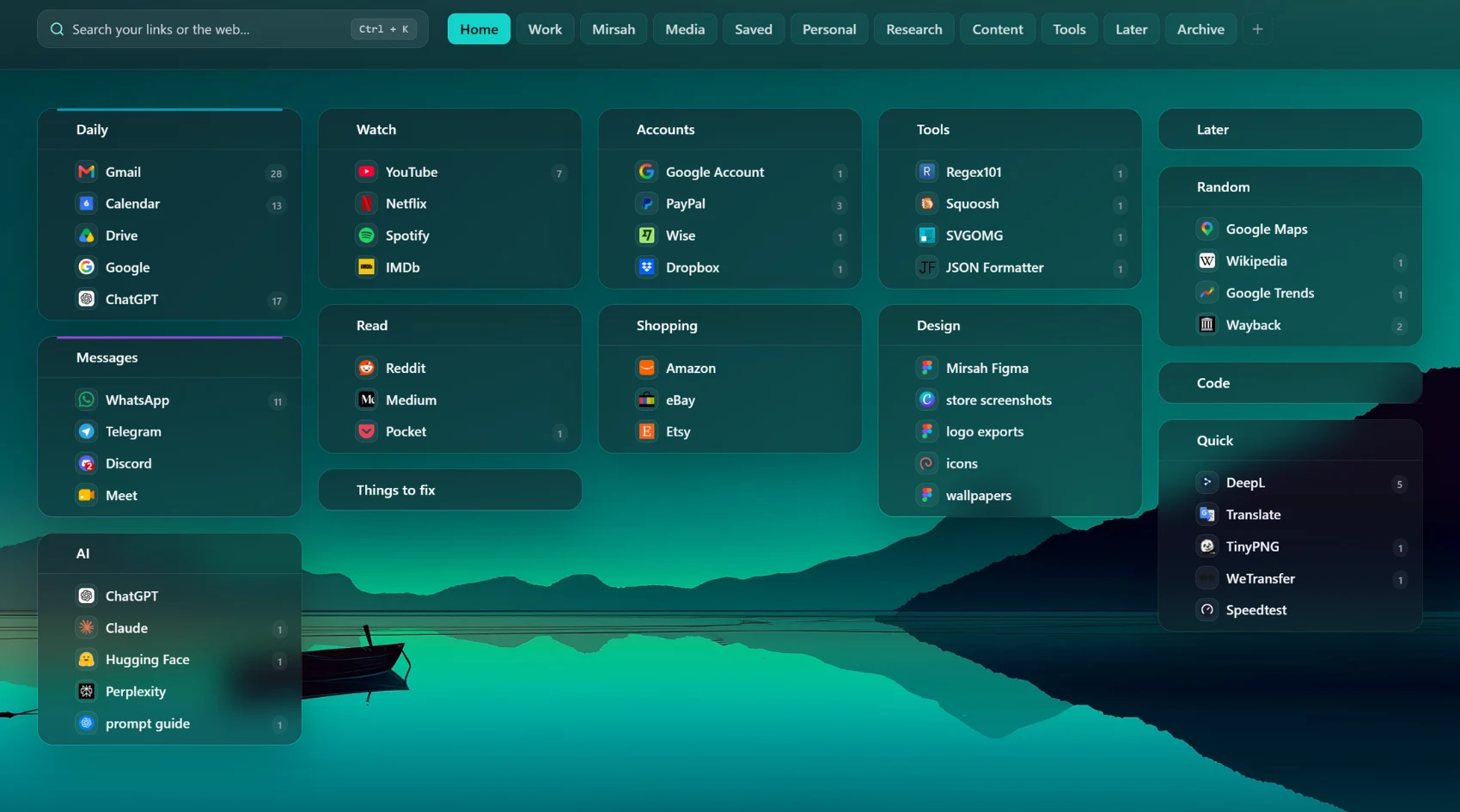
A calmer place for the links you use every day.
Choose the browser you use. Mirsah is available for Chrome, Firefox, Edge, and Brave.
Uses the Chrome-compatible Mirsah build.
Open listingMirsah turns your New Tab into a visual workspace where bookmarks are easier to organize, find, and use without making the page feel busy.
Simple tools that help you organize links, get to them faster, and keep your workspace comfortable to use.
Drag and drop bookmarks and Groups inside each Workspace so work, study, projects, and personal links stay where they belong.
Search saved links or the web from one place whenever you open a new tab.
Choose built-in wallpapers and layouts, or add your own image or live wallpaper with Pro.
PersonalizeUse a clean clock and timer when you want to stay with one task and reduce distractions.
FocusHide your Mirsah workspace behind a lock screen when you step away.
PrivacyBring in bookmarks, keep a local backup, and use Pro cloud sync when you want an account copy across devices.
Keep your setupAdd them yourself, import bookmarks from your browser, or restore a Mirsah backup.
Create Workspaces and Groups, then drag and drop links into the structure that fits the way you use them.
Search saved links, use Quick Save when you want to capture the current page, and open Focus Mode or privacy controls when you need them.
1 workspace, 3 groups, 30 bookmarks. Local storage, search, import and export. Unlimited workspaces, groups and bookmarks (Pro).
Mirsah keeps some data on your device and, when cloud sync is active, keeps a supported account copy of workspace data and settings. Custom wallpaper files, Focus timer state, local link-open counts, and Privacy Lock verification data stay on your device.
Read the Privacy PolicyYes. Mirsah uses an account so your membership and supported cloud features can stay connected to you.
No. On a new eligible account, cloud sync stays off until you explicitly enable it in Settings. You can turn it off again at any time.
No. Custom wallpaper files, Focus timer state, local link-open counts, and Privacy Lock verification data stay on your device.
It hides your Mirsah workspace behind a lock screen. It does not lock your computer or other browser tabs and apps.
Your core bookmark organization and local backup remain available. Features that require Pro become unavailable until Pro is active again.
Yes. Open Account & Membership, then Manage billing. Access normally continues until the end of the paid period.
Keep everyday links organized and within reach every time you open a new tab.